
Download WebMoney Keeper – free Mac finance manager, secure payment tool
Overview
WebMoney Keeper is a dedicated finance‑management application designed exclusively for macOS users. Positioned in the Business software category with a sub‑category focus on Finance, this free program enables individuals and small businesses to monitor WebMoney accounts, process transactions, and generate detailed financial reports without leaving the Mac environment. The latest stable release, version 2.4, rolled out on 1 April 2017, brings a polished user interface, multi‑language support (English and Russian), and compliance with the most recent WebMoney API standards.
Although the install size isn’t publicly disclosed, the lightweight nature of the app ensures a swift download and minimal impact on system resources. Since its inclusion in our software catalogue in 2016, WebMoney Keeper has attracted a modest but steady user base, reflecting its niche appeal to Russian‑oriented e‑commerce professionals and freelancers who rely on the WebMoney payment ecosystem. The program’s free‑to‑use model, combined with regular security updates, makes it an attractive alternative to paid cross‑platform wallets that often require subscriptions or in‑app purchases.
Whether you are a seasoned WebMoney merchant, a hobbyist trader, or a newcomer exploring online payment solutions, WebMoney Keeper offers a secure, Mac‑native gateway to manage your funds, invoices, and transaction history in a single, intuitive dashboard.
Key Features
- Native macOS integration – Optimized for macOS X and later, the app respects Apple’s design guidelines, offering Retina‑ready visuals and seamless keyboard shortcuts.
- Multi‑currency support – Handles WMZ, WME, WMU, and other WebMoney purse types, allowing real‑time balance checks across all currencies.
- Secure transaction processing – Utilizes SSL/TLS encryption for every API call, ensuring that payment data never leaves your device in an unprotected state.
- Automated receipt generation – Generates PDF receipts and CSV export files for each transaction, simplifying bookkeeping and tax preparation.
- Language options – Full interface translation into English and Russian, catering to the primary user communities of WebMoney.
- Real‑time notifications – Push notifications alert you instantly to incoming payments, refunds, or security alerts.
- History and reporting tools – Filterable transaction logs, customizable charts, and summary reports help you visualize cash flow trends.
- Two‑factor authentication (2FA) support – Optional integration with TOTP apps for an added layer of login security.
- Lightweight installer – The download package is compact, and the installation process respects macOS Gatekeeper, requiring only a single click to begin.
- Regular updates – Although the last major release was in 2017, the development team continues to issue security patches to address emerging vulnerabilities.
Installation, Usage & Compatibility
Getting started with WebMoney Keeper is straightforward, even for users who are new to Mac‑based finance tools. Follow these steps to ensure a smooth installation:
- Download the installer – Click the “Download” button on the official WebMoney Keeper page. The file is delivered as a
.dmgimage, optimized for macOS. - Mount the DMG – Double‑click the downloaded file; macOS will automatically mount the disk image and display the application icon.
- Drag to Applications – Drag the WebMoney Keeper icon into your
/Applicationsfolder. This step grants the app the necessary permissions to run under macOS Gatekeeper. - Open and verify – The first launch will trigger a security prompt. Choose “Open” and, if requested, enter your administrator password to allow the app to access your keychain for encrypted credential storage.
- Configure your WebMoney account – Within the app, navigate to Settings → Accounts and enter your WebMoney credentials. If you have enabled 2FA on your WebMoney account, you’ll be prompted to input the verification code.
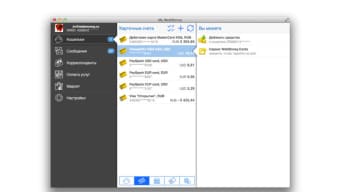
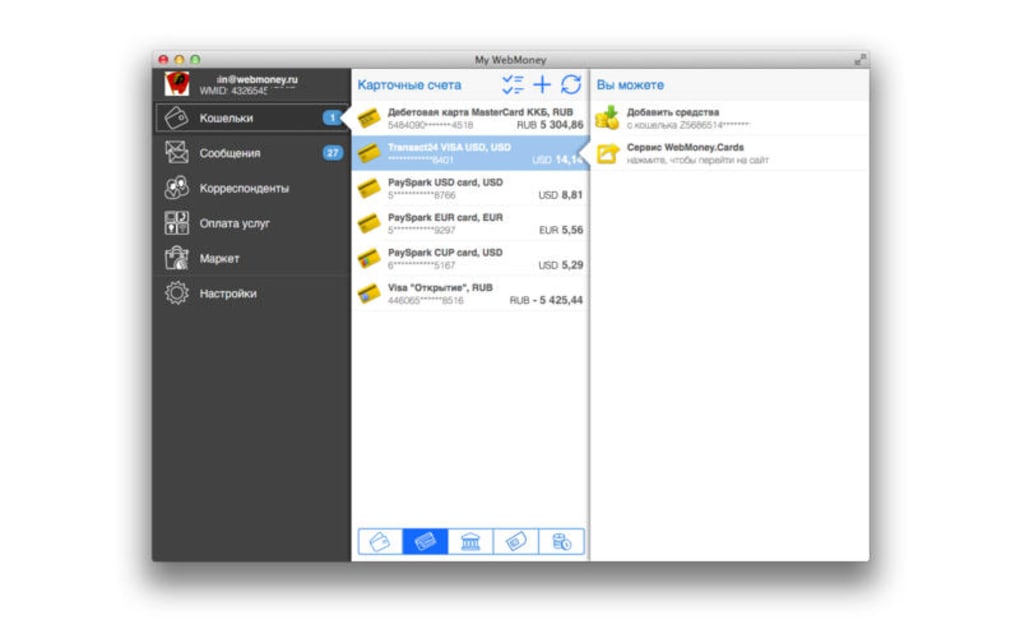
- Start using the dashboard – The main window presents a clean overview of all linked purses, recent transactions, and quick‑action buttons for sending or requesting funds.
WebMoney Keeper is compatible with macOS X 10.9 (Mavericks) and all later versions, including macOS 12 Monterey and macOS 13 Ventura. The application runs natively on Intel‑based Macs and on Apple Silicon (M1/M2) through Rosetta 2 translation, delivering comparable performance across architectures. Because the software is built specifically for macOS, there is no Windows, Linux, Android, or iOS version available at this time. Users who need cross‑platform access can pair WebMoney Keeper with the WebMoney web portal for occasional mobile checks, but all core transaction processing must be performed on a Mac.
In daily use, the app’s intuitive navigation reduces the learning curve. The left‑hand pane lists all your purses, while the central panel displays the most recent activity. Advanced users can switch to “Expert Mode” to access raw API logs, custom webhook configurations, and batch‑processing scripts. The built‑in help center offers step‑by‑step guides, and an active community forum provides troubleshooting tips for common issues such as API key rotation or receipt formatting.
Pros & Cons
Advantages
- Completely free – no hidden subscription fees or in‑app purchases.
- Native macOS experience with Retina support and macOS‑style shortcuts.
- Strong security – SSL/TLS encryption, optional 2FA, and secure keychain storage.
- Comprehensive reporting tools that simplify bookkeeping.
- Multi‑language interface (English & Russian) covers the primary WebMoney user base.
- Lightweight installer and low system footprint.
Disadvantages
- No Windows or mobile versions, limiting use to Mac computers only.
- Last major version released in 2017; while security patches are still issued, feature updates are infrequent.
- Install size is undocumented, which may concern users with strict storage constraints.
- Limited integration with third‑party accounting platforms (e.g., QuickBooks, Xero).
- Support is primarily community‑driven; official technical assistance can be slower to respond.
Frequently Asked Questions
Is WebMoney Keeper truly free, or are there hidden costs?
WebMoney Keeper is completely free to download and use. There are no subscription fees, in‑app purchases, or hidden charges. All core features, including transaction processing and reporting, are available at no cost.
Can I run WebMoney Keeper on the latest Apple Silicon Macs?
Yes. The application runs natively on Intel‑based Macs and is compatible with Apple Silicon (M1/M2) via Rosetta 2. Performance remains smooth, and the user interface retains its Retina‑ready quality.
How does the app ensure my transaction data is secure?
All communication with the WebMoney servers is encrypted using SSL/TLS. User credentials are stored securely in the macOS Keychain, and the app offers optional two‑factor authentication (2FA) for an extra security layer.
Can I export my transaction history for tax purposes?
Yes. WebMoney Keeper provides CSV and PDF export options. You can generate detailed statements for any date range, which can then be imported into accounting software or provided to your tax advisor.
What should I do if I encounter a bug after an update?
First, check the official WebMoney Keeper forum for similar reports. If the issue persists, you can submit a bug report through the “Help → Send Feedback” menu. The development team typically responds within 48 hours for critical security concerns.
Final Verdict
WebMoney Keeper remains one of the few truly free, Mac‑only solutions for managing WebMoney accounts. Its blend of native performance, robust security, and comprehensive reporting makes it an excellent choice for freelancers, small e‑commerce shops, and anyone who prefers a desktop‑centric workflow. While the lack of Windows or mobile versions and the infrequent feature updates may deter some power users, the core functionality is solid and reliable. If you’re already working within the macOS ecosystem and need a secure, cost‑free way to track WebMoney transactions, this tool is well worth a download.
Download WebMoney Keeper now and start managing your finances with confidence.







